|
1.
|
Click Manage and select Listings.
|
|
2.
|
On your Listings page, scroll down to the listing
and click Edit below the listing name.
|
|
3.
|
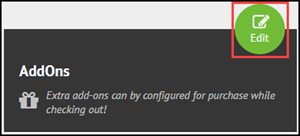
Click the green Edit button next to
Add Ons.
|
|
4.
|
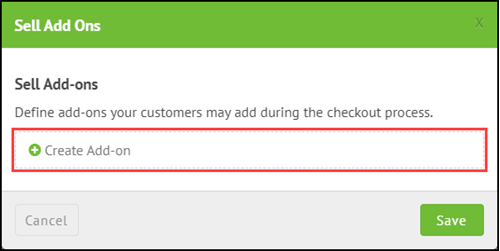
To add an existing add-on to a listing: |
|
b.
|
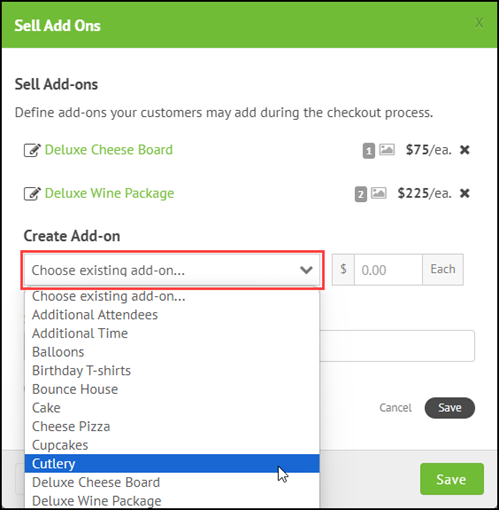
From the Choose existing add-on drop-down, select
the add-on.
|
|
d.
|
(Optional) Enter a number corresponding to the order the add-on
should appear in the listing during checkout, e.g., entering
1 would put the add-on at the top of the list of add-ons.
|
Note: Remember to click the gray Save button
before you click the green Save button. If you do not click
the gray Save button, the add-on will not be added to the
listing.
|
5.
|
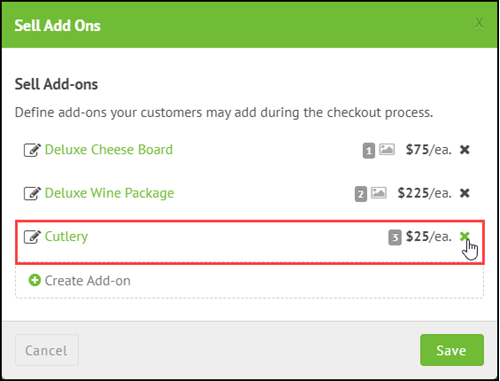
To remove an add-on from a listing, click the X
to the right of the hyperlinked add-on name.
|

Comments
0 comments
Please sign in to leave a comment.