You can embed a list or calendar view of
your listings in your Squarespace website. You can also publish a
list or grid view of products in your website.
Note: Only
listings that are published (active) in PlaceFull can be embedded in a website.
|
1.
|
In PlaceFull, click Publish.
|
|
3.
|
Select the view you would like to embed. |
The embed code for the view is automatically generated.
|
4.
|
Click Copy to clipboard to copy the embed code.
|
|
5.
|
Go to your Squarespace website. |
|
6.
|
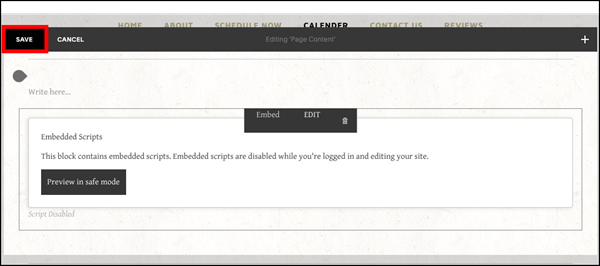
Open the page you want to edit. |
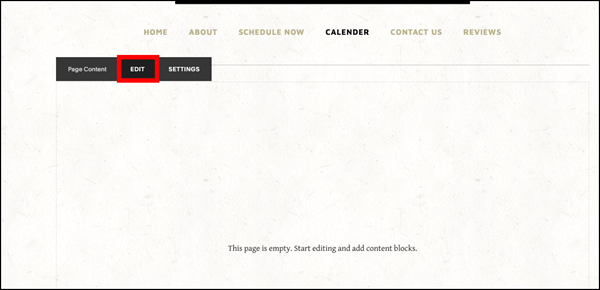
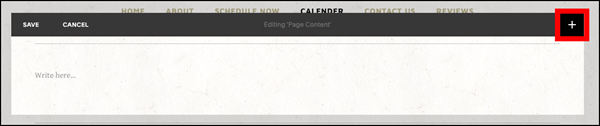
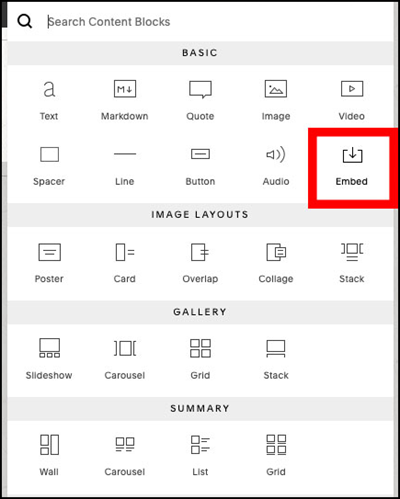
|
10.
|
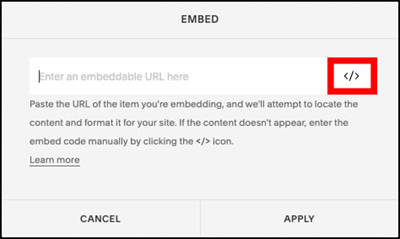
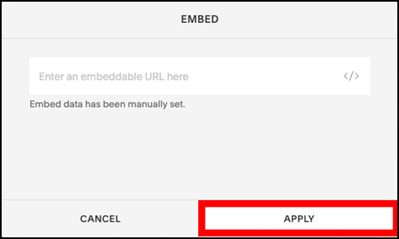
Do not type anything in the field where it says "Enter an embeddable
URL here". Instead, click </ >.
|
|
11.
|
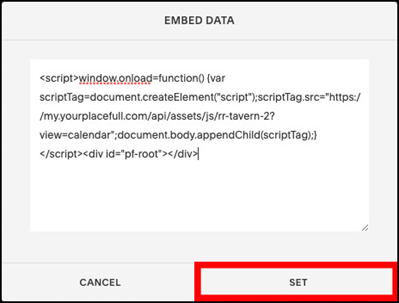
Paste the PlaceFull embed code into the Embed
Data pop-up and click Set.
|

Comments
0 comments
Please sign in to leave a comment.