It is a good practice to unpublish products before you delete them.
|
1.
|
Click Manage and select Products.
|
|
2.
|
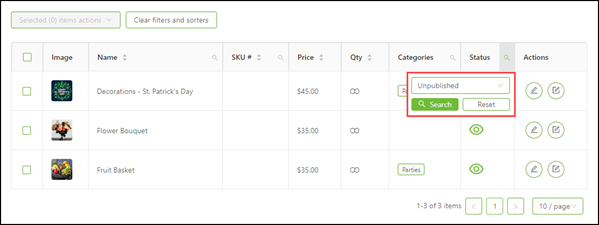
In the table header, click the Filter icon beside
Status.
|
|
3.
|
From the Filter by status drop-down, select
Unpublished.
|
|
4.
|
Click Search. The filter is applied and only
unpublished products are shown.
|
|
5.
|
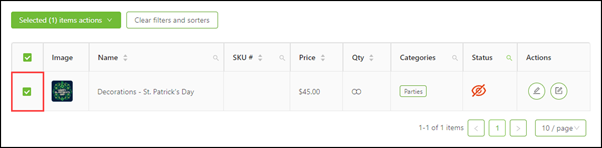
Click the check box(es) beside the product(s) you want to delete.
|
|
6.
|
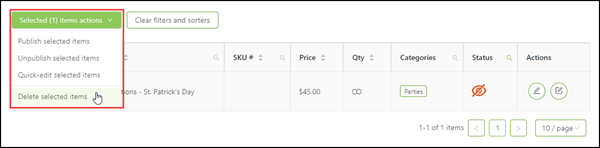
From the Selected items actions drop-down, select
Delete selected items.
|
|
7.
|
Click Yes, delete forever to confirm that you
want to delete the product(s).
|

Comments
0 comments
Please sign in to leave a comment.